OpenID Connect authentication
OpenID Connect authentication has been tested with Keycloak and Microsoft Entra ID. It should work with other OpenID Connect providers as well, as long as they support the authorization flow with PKCE and without a secret.
Keycloak
In Keycloak a new OpenID Connect client needs to be created. The client needs to be configured as follows, assuming the frontend is available at https://secobserve.example.com:
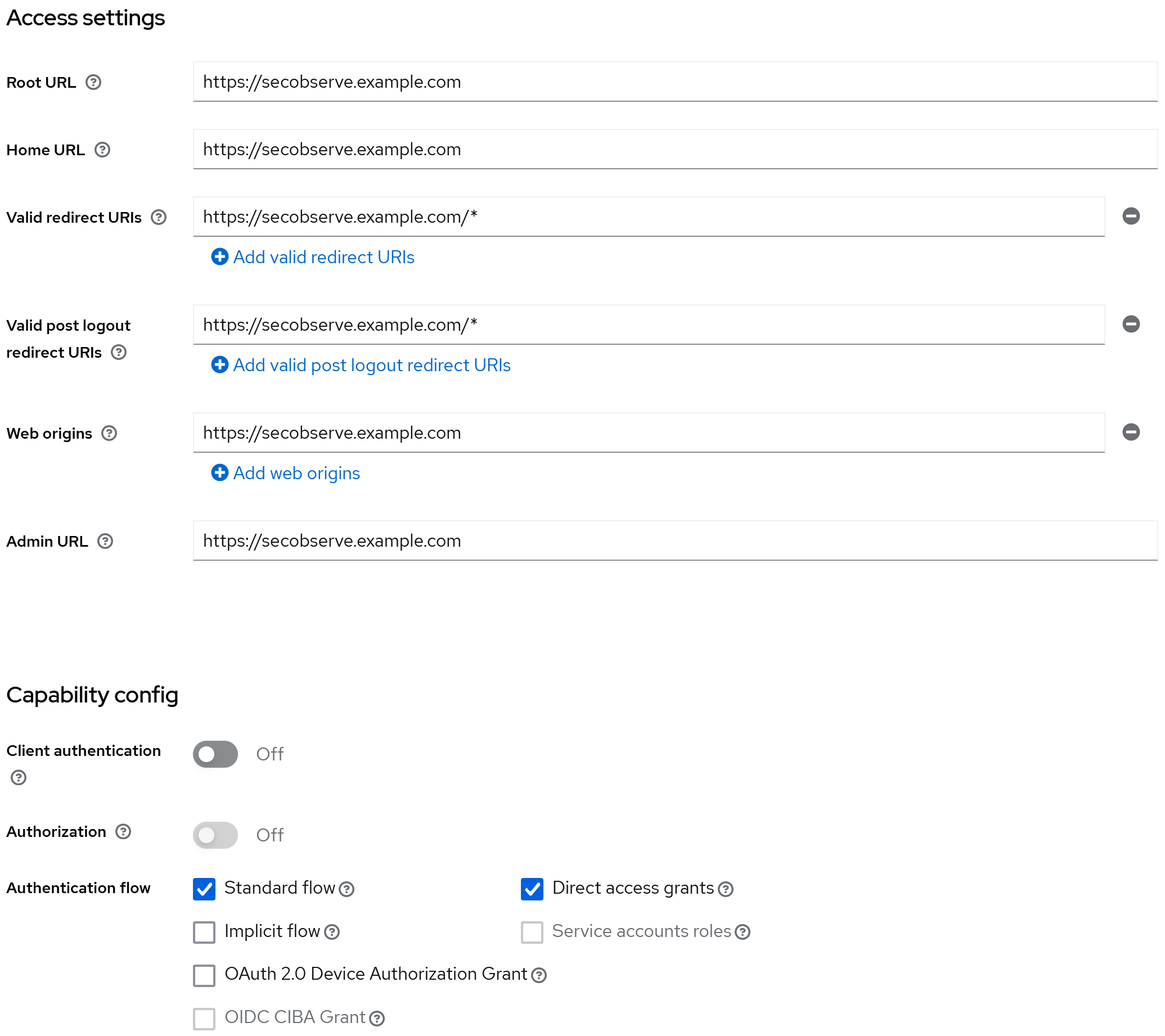
Configuration parameters for SecObserve
Backend:
| Environment variable | Value |
|---|---|
OIDC_AUTHORITY |
https://keycloak.example.com/realms/NAME_OF_REALM |
OIDC_CLIENT_ID |
CLIENT_ID |
OIDC_USERNAME |
preferred_username |
OIDC_FIRST_NAME |
given_name |
OIDC_LAST_NAME |
family_name |
OIDC_EMAIL |
email |
OIDC_GROUPS |
groups |
Frontend:
| Environment variable | Value |
|---|---|
OIDC_ENABLE |
true |
OIDC_AUTHORITY |
https://keycloak.example.com/realms/NAME_OF_REALM |
OIDC_CLIENT_ID |
CLIENT_ID |
OIDC_REDIRECT_URI |
https://secobserve.example.com |
OIDC_POST_LOGOUT_REDIRECT_URI |
https://secobserve.example.com |
OIDC_PROMPT |
[no value] |
Microsoft Entra ID
In Microsoft Entra ID, a new App registration needs to be created, with the redirect URI registered under the Single-page application (SPA) platform. A client secret is not needed.
Configuration parameters for SecObserve
Backend:
| Environment variable | Value |
|---|---|
OIDC_AUTHORITY |
https://login.microsoftonline.com/TENANT_ID/v2.0 |
OIDC_CLIENT_ID |
CLIENT_ID |
OIDC_USERNAME |
preferred_username |
OIDC_FULL_NAME |
name |
OIDC_EMAIL |
email |
OIDC_GROUPS |
groups |
Frontend:
| Environment variable | Value |
|---|---|
OIDC_ENABLE |
true |
OIDC_AUTHORITY |
https://login.microsoftonline.com/TENANT_ID/v2.0 |
OIDC_CLIENT_ID |
CLIENT_ID |
OIDC_REDIRECT_URI |
https://secobserve.example.com |
OIDC_POST_LOGOUT_REDIRECT_URI |
https://secobserve.example.com |
OIDC_PROMPT |
[no value] |
Customize the login dialog
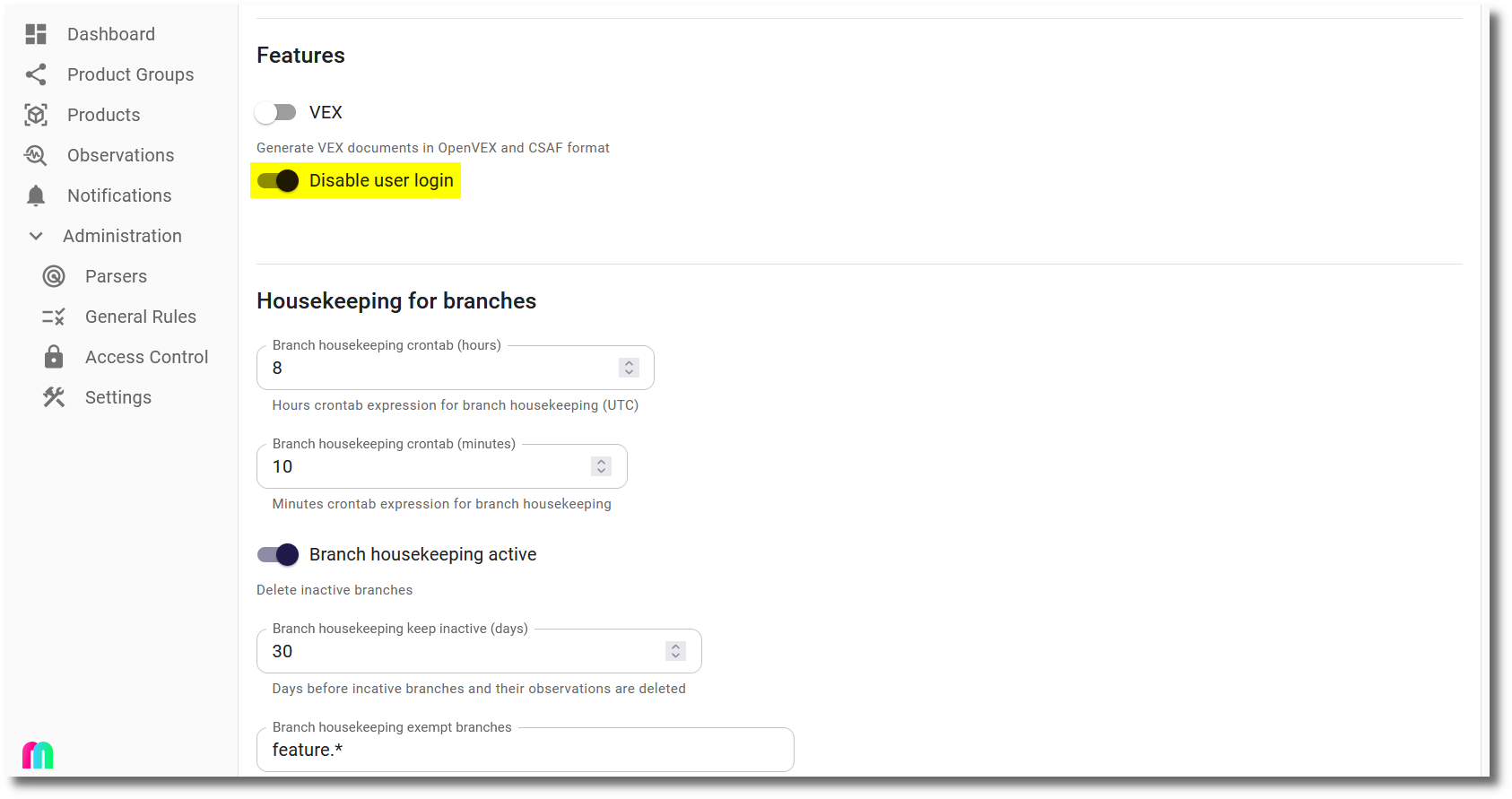
If users should only be able to sign in with OpenID Connect, the login dialog can be customized to hide user and password fields. This can be done by setting the Disable user login option in the Settings dialog:
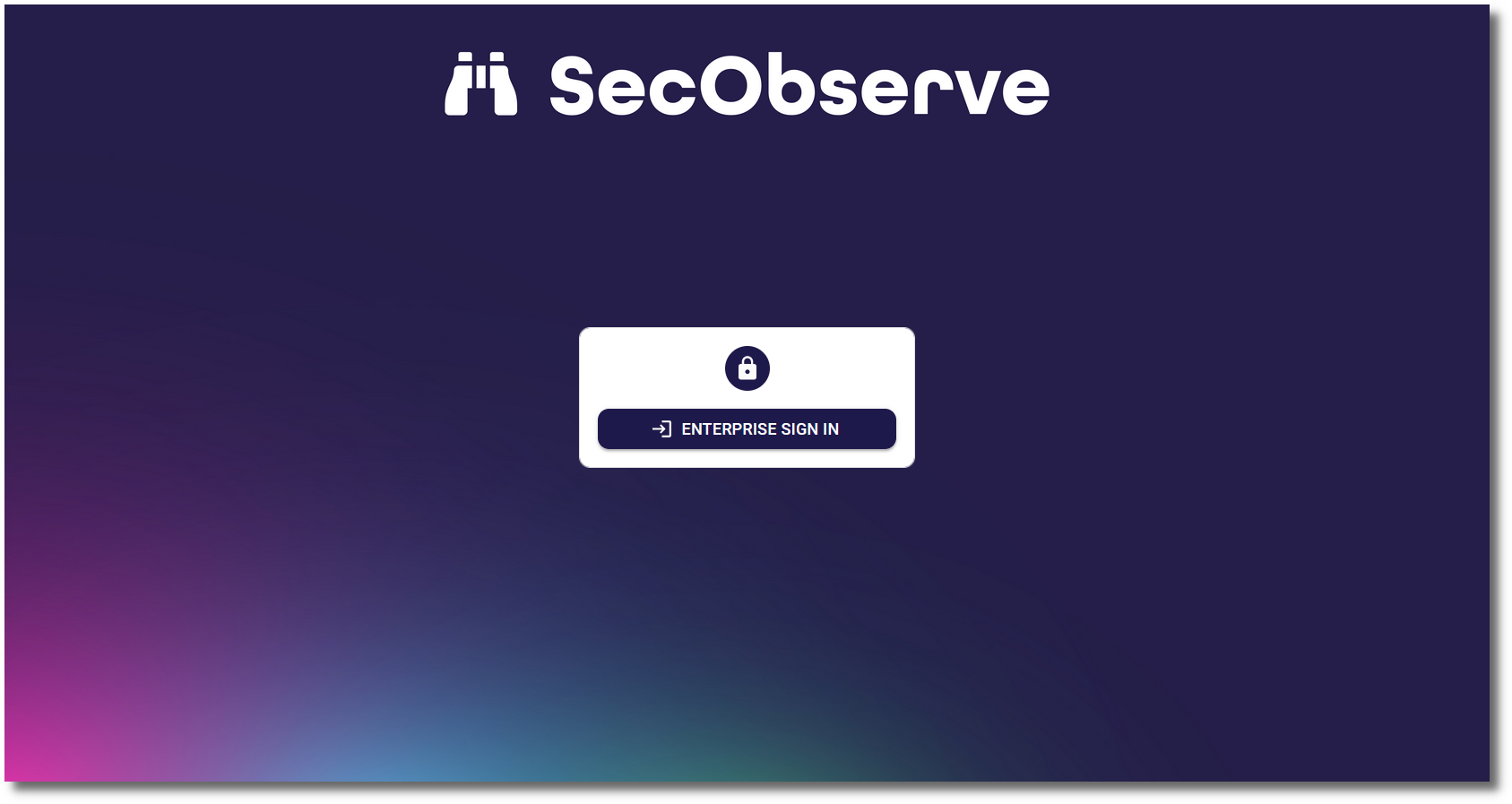
Then the login dialog will only show the Enterprise sign in button:
If the user and password is needed to login, e.g. for a local admin user, #force_user_login can be added to the URL (like https://secobserve.example.com/#/login#force_user_login) to force the user and password fields to be shown.
Clock skew betwenn OIDC server and SecObserve backend
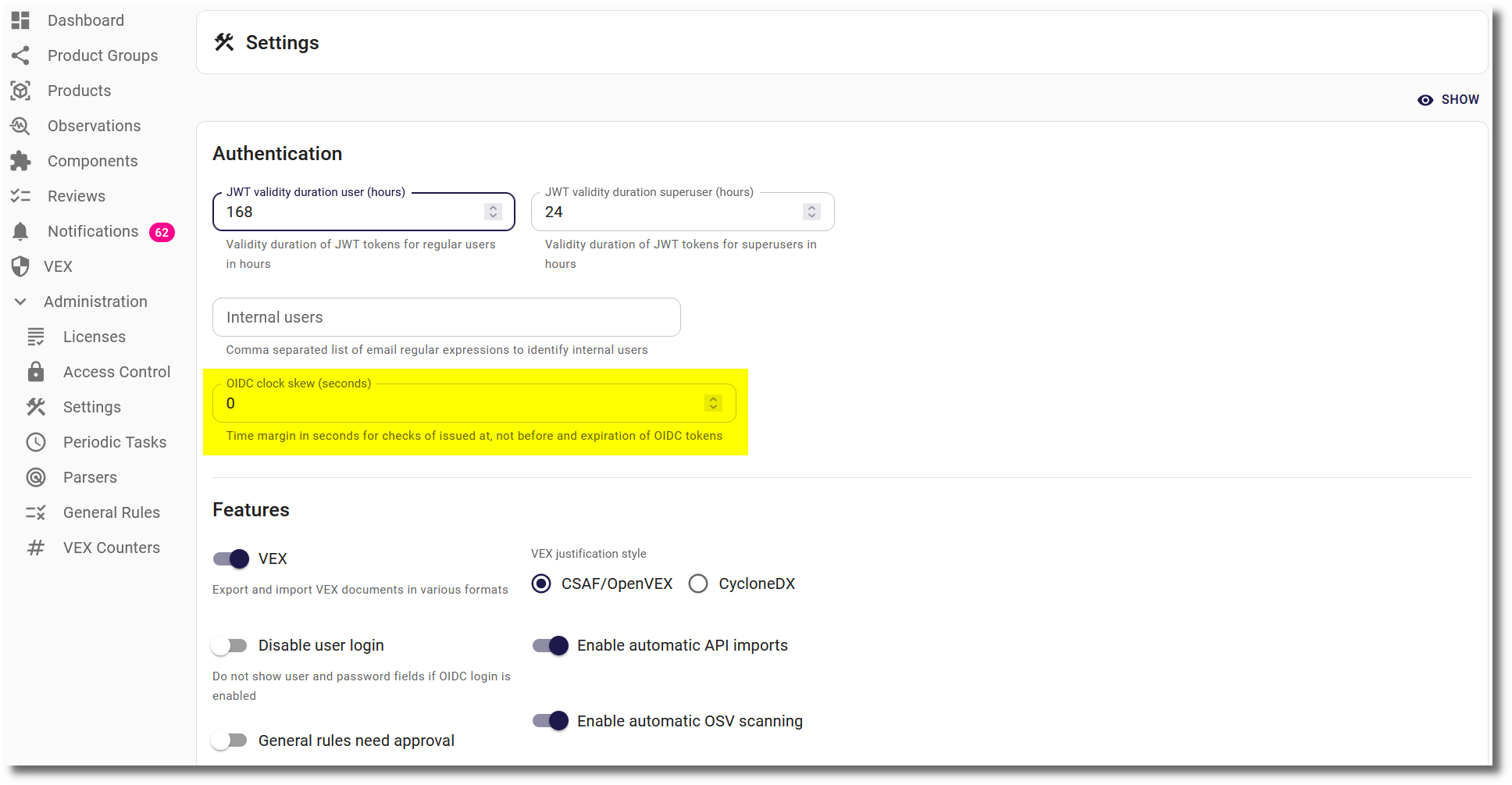
A time deviation between the OIDC server and the SecObserve backend cannot always be avoided. To prevent the verification of claims issued at, not before and expiry from failing because of it, the parameter OIDC clock skew can be set in the settings.
Token renewal
The frontend authenticates against the backend with the id token and renews the tokens before they expire. For a reliable renewal, the OIDC provider has to fulfil some requirements:
- Refresh tokens: The provider has to issue a refresh token. Depending on the provider, the refresh token grant has to be enabled for the client and/or the scope
offline_accesshas to be added toOIDC_SCOPE. Without a refresh token, the frontend falls back to a renewal in a hidden iframe withprompt=none. This often fails because browsers block third-party cookies, and then users have to sign in again. - Id token on renewal: The provider has to return a new id token when the refresh token is used. Otherwise the old id token expires and users have to sign in again. In this case the frontend writes the warning
OIDC token renewal did not provide a new id tokento the browser console.
Whether a refresh token has been issued can be checked in the local storage of the browser: The entry oidc.user:<OIDC_AUTHORITY>:<OIDC_CLIENT_ID> must contain a refresh_token.
Providers with refresh token rotation accept every refresh token only once. The frontend makes sure that only one renewal runs at a time, even with several browser tabs open.
If the renewal fails nevertheless, users are sent to the OIDC provider to sign in again and return to the page they have been on. As long as their session at the OIDC provider is active, they don't need to enter anything.
Audience validation
By default SecObserve requires the aud claim of a token to be a single string that matches the OIDC client id exactly. This is the strictest interpretation and is recommended wherever the OIDC provider supports it.
Not all OIDC providers work that way. Some always issue aud as a list, even when it holds a single entry, and some add the ids of other applications to it. With such a provider the login itself succeeds, but every authenticated request fails with HTTP 401 and the backend logs Invalid claim format in token (strict).
For these providers the parameter OIDC strict audience can be switched off in the settings. The aud claim is then still validated, but a list is accepted as long as it contains the client id, which is the behaviour RFC 7519, section 4.1.3 describes.
User API tokens for users authenticated with OpenID Connect
Users authenticated with OpenID Connect have no password in SecObserve, so they cannot confirm a password when they create or revoke a user API token. Instead SecObserve requires a recent authentication at the OIDC provider as the proof of identity. The auth_time claim of the id token, which states when the user actually authenticated, must not be older than the parameter OIDC API token max authentication age in the settings. The default is 5 minutes, the value 0 switches the check off and lets any valid OIDC token create and revoke API tokens.
The auth_time claim deliberately does not move forward when the frontend silently renews its token, only a real authentication updates it. If the authentication is too old, the frontend offers to sign in again and sends the user to the OIDC provider with prompt=login and max_age=0. After the authentication the user returns to the same page and can create or revoke the API token.
The id token is a credential that is stored in the browser, so this makes an API token reachable for anyone who can read it. Keeping the maximum authentication age small limits the time window in which that is possible. The creation of every user API token is written to the log of the backend.
Providers that do not send auth_time
The auth_time claim is only required by OpenID Connect Core, section 3.1.3.6 if the authentication was requested with max_age or if the claim was requested as an essential claim. Not all providers send it in all cases:
- Keycloak sends
auth_timeand honoursprompt=loginandmax_age, no additional configuration is needed. - Okta documents
auth_timeas a base claim of the id token. It should be verified for the authorization server that is used. - Microsoft Entra ID does not send
auth_timeby default. It has to be added as an optional claim for id tokens in the token configuration of the app registration.
If the provider never sends auth_time, SecObserve answers requests to create or revoke a user API token with HTTP 403 and the code oidc_auth_time_missing. The frontend then offers to sign in again once and shows an error afterwards, to avoid an endless loop of redirects. For such a provider the parameter OIDC API token max authentication age has to be set to 0.