Vulnerability scanning from OSV
The components of a product can be scanned for vulnerabilities using the OSV database. The OSV database is a database of open-source vulnerabilities, maintained by Google and is available at https://osv.dev/.
There are 2 preconditions for a product to be met before using the OSV database for vulnerability scanning:
- License/Component information has to be imported, only then all components are available for scanning.
- The flag
OSV scanning enabledin the product settings has to be activated.

OSV delivers vulnerabilities for a component, without regard to the version of the component, plus a list of affected versions. Currently these package managers are supported directly to get the affected versions, by using information from the PURL of the component:
- bitnami: Bitnami
- conan: ConanCenter
- cran: CRAN
- cargo: crates.io
- composer: Packagist
- golang: Go
- hackage: Hackage
- hex: Hex
- maven: Maven
- npm: npm
- nuget: NuGet
- pub: Pub
- pypi: PyPI
- gem: RubyGems
- swift: SwiftURL
Some Linux distribution and version can be determined automatically by information from the PURL of the component:
- Alpine
- Chainguard
- Debian
- Docker Hardened Images
- Ubuntu (only the free version, not Pro)
- Wolfi
Packages of Docker Hardened Images are recognized by the namespace dhi in their PURL. For the other packages of the image, the Linux distribution and version need to be set for the product or branch, if their PURLs have no distro qualifier.
To correctly identify other Linux packages, the Linux distribution and version has to be set in the product or branch settings according to OSV affected package specification. If it is not set for a branch, the product settings are used. Examples are:
| Linux distribution | Version |
|---|---|
| Azure Linux | 3 |
| Red Hat | rhel_aus:8.4::appstream |
| TuxCare | CentOS:7 |
| Ubuntu | Pro:24.04:LTS |
If the Linux distribution is set, or for Alpine and Debian packages if it can be determined from the PURL, OSV is queried with the name, ecosystem and version of the package instead of the PURL.
For Red Hat, SUSE and openSUSE only the beginning of the version needs to be set, e.g. enterprise_linux:9 for all ecosystems of Red Hat Enterprise Linux 9. For all other Linux distributions the complete version has to be set. Alpine packages are only found if a version is set, e.g. v3.18, or if it can be determined from the PURL.
TuxCare provides extended support for Linux distributions that have reached their end of life. Its packages are only found if the version contains the original distribution and its release, e.g. CentOS:7, CentOS-Stream:8, AlmaLinux:9.2, OracleLinux:7, RHEL:8, Debian:10 or Ubuntu:20.04.
Manual scan
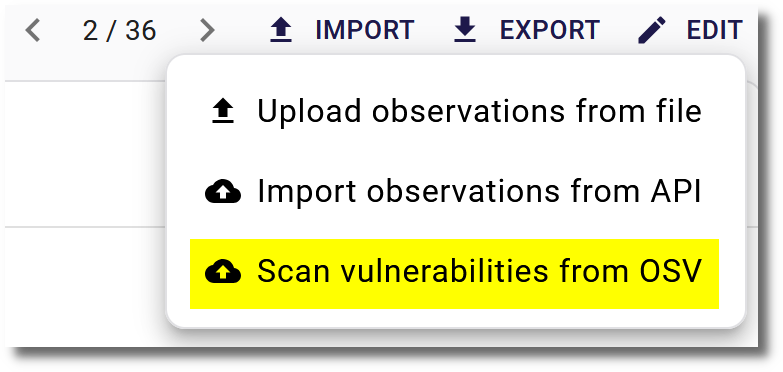
If both preconditions are met, the OSV scan can be started manually from the Import menu. If a branch is selected, the scan will be performed on the components of the branch. If no branch is selected, the scan will be performed on the components of all branches and components without a branch.
Automatic scan
OSV scanning can be configured to run automatically at a specific time. There is a general setting and a setting per API configuration.
General setting
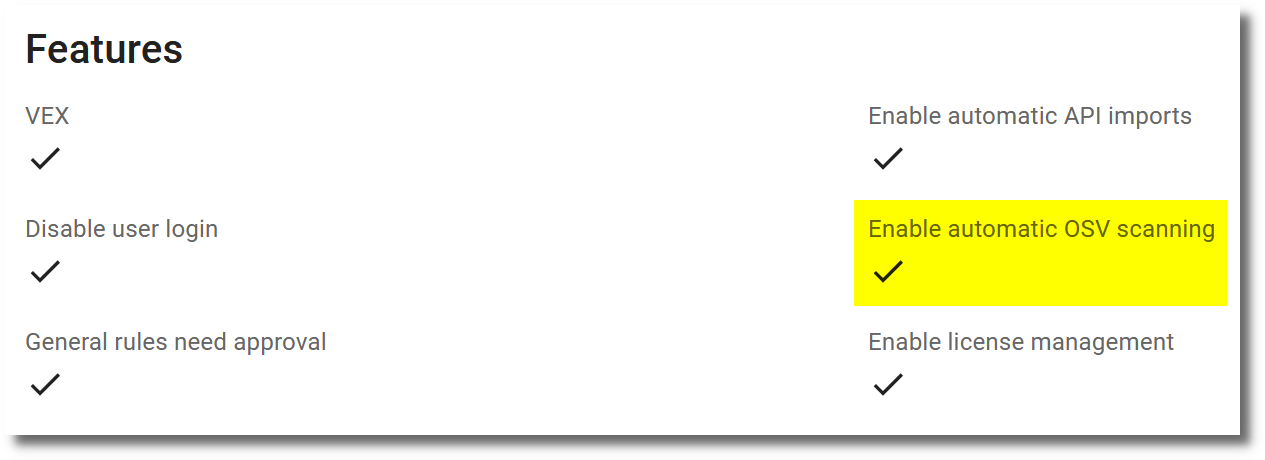
In the Features section of the Settings the automatic OSV scanning can be enabled or disabled for the whole SecObserve instance.
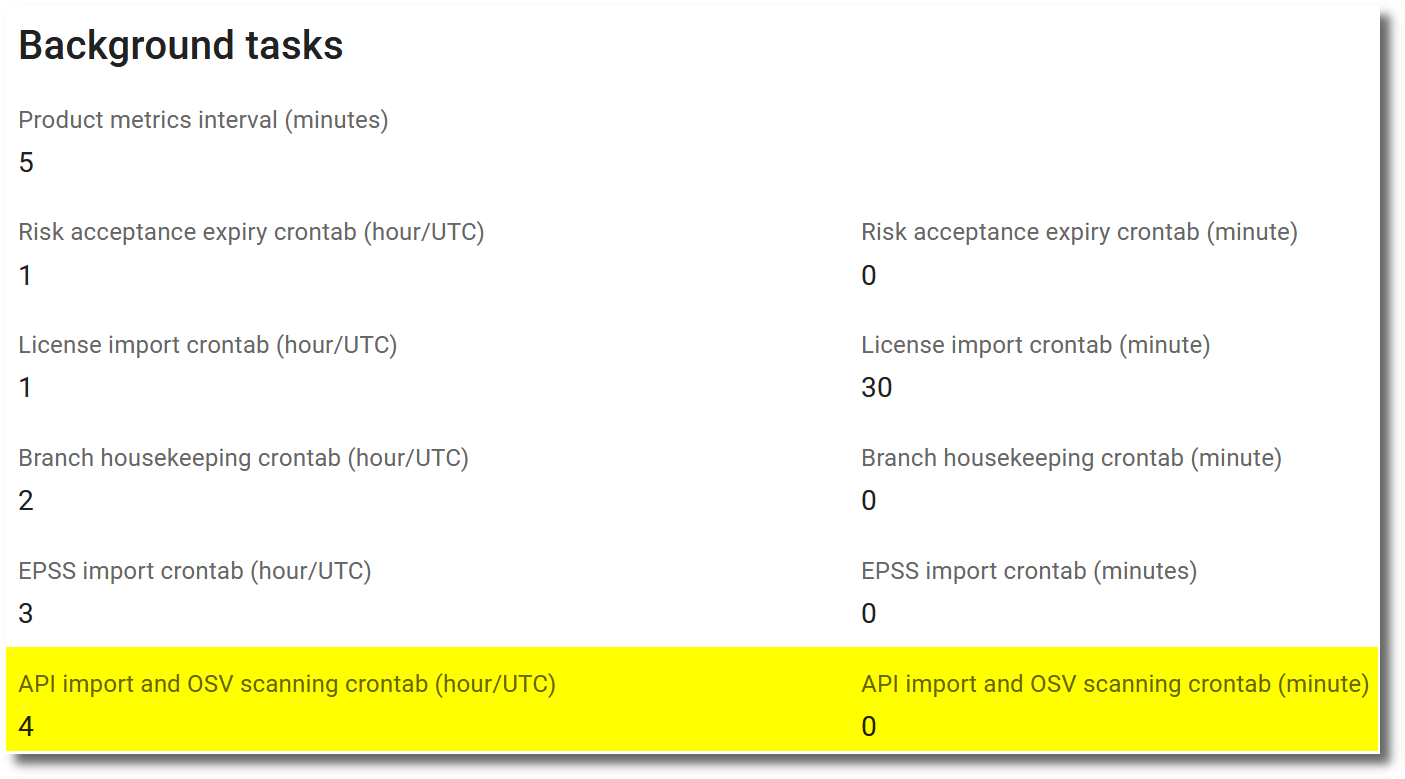
The hour (in UTC, unless TIME_ZONE is set) and minute, when the automatic API imports and OSV scanning will run, can be set in the Background tasks section. A restart of the SecObserve instance is required to apply the changes.
Setting per product
Only products that have Automatic OSV scanning enabled turned on will be imported automatically.

Execution
The automatic scan enqueues a separate background task for each product. These tasks have a lower priority than all other background tasks, so that for example notifications don't wait until all products have been scanned. If the background process is restarted during the scans, only the scans running at that moment are lost, the remaining products are still scanned. Scans that are still queued 20 hours after they have been enqueued are dropped, so that they don't pile up with the scans of the next night.
A scan that fails with a transient error, like an outage of api.osv.dev or a lost database connection, is retried, see OSV_SCAN_RETRIES and OSV_SCAN_RETRY_DELAY in the configuration.
When all scans of a run have finished, the entry Scan products with OSV in the Background tasks administration shows the result, e.g. Scanned 998 of 1000 products, 2 failed., and one exception notification lists the products whose last attempt has failed. If scans were lost because the background process stopped, the next run adds an entry that the previous run did not finish and sends an exception notification.
As long as the scans of a run are not finished, at most 20 hours, a manually started import doesn't enqueue the products again, so that no product is scanned twice at the same time.