Branches and Versions
Branches and versions are an optional feature of the product. They can be used to separate the observations for different branches or versions of a product. If only one branch or version is used to develop a product, this feature can be ignored.
List of branches and versions
A product has a list of branches / versions. They can either be created manually from the Branches / Versions tab of the product or will be created automatically, when observations are imported using a branch / version name that didn't exist before for that product.
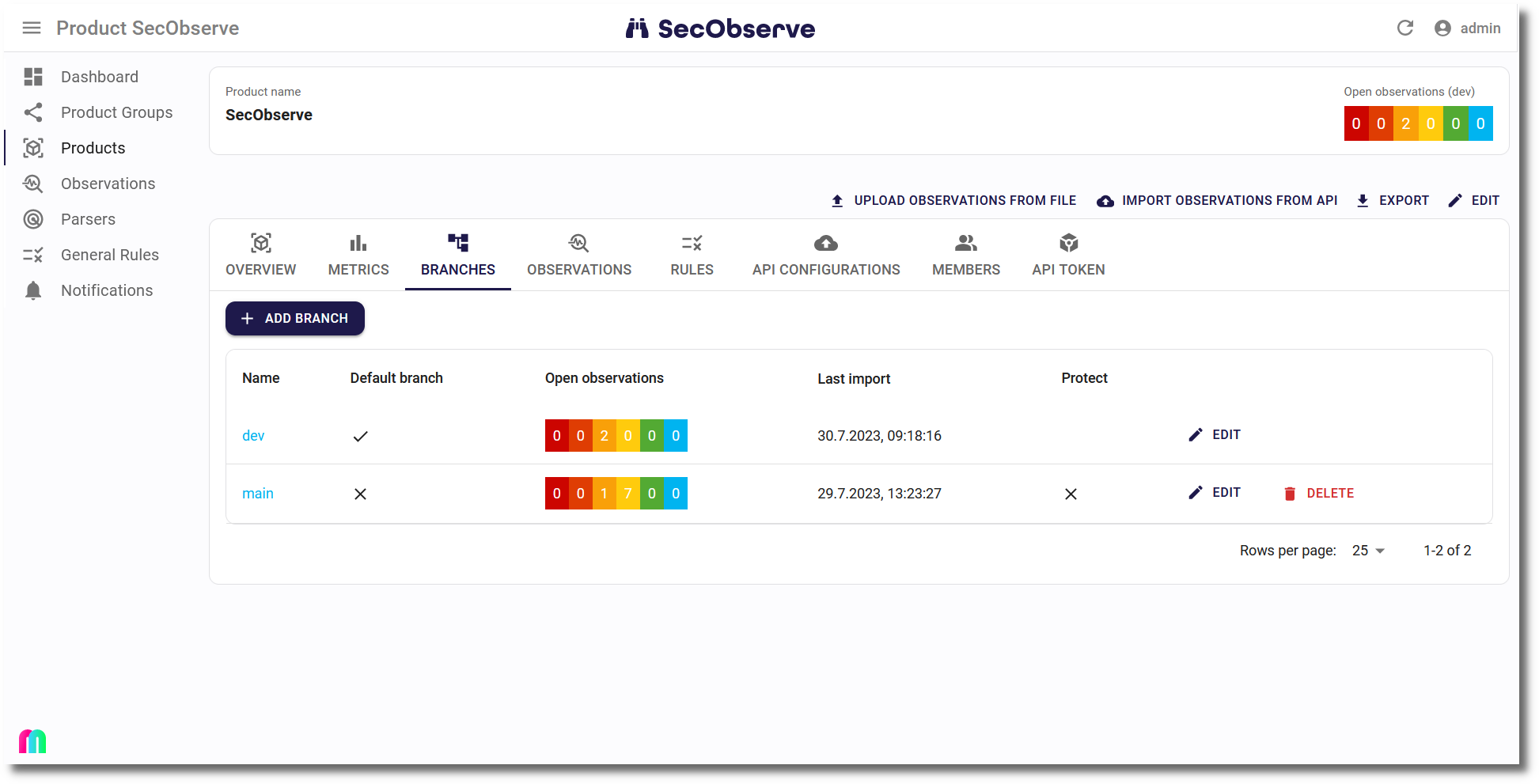
The list of branches / versions shows the severities of open observations and the security gate for each branch / version.
Clicking on the name of a branch / version brings up the list of open observations for that branch / version.
Warning
When a branch / version is deleted, all observations for that branch will be deleted as well.
Default branch / version
The Default branch / version should always be set, when branches / versions are used for the observations.
- The metrics on the dashboard and on the Metrics tab are calculated using the observations where the default branch / version is set.
- The counts in the header when showing a product are for the default branch / version as well, as long as no branch / version is selected in the filter of the Observations tab or the Licenses / Components tab. Selecting one there makes the counts of that tab in the header follow the selected branch / version.
- Issues in GitHub, GitLab or Jira are created only for the default branch / version.
- The default branch / version cannot be deleted and is exempt from the housekeeping.
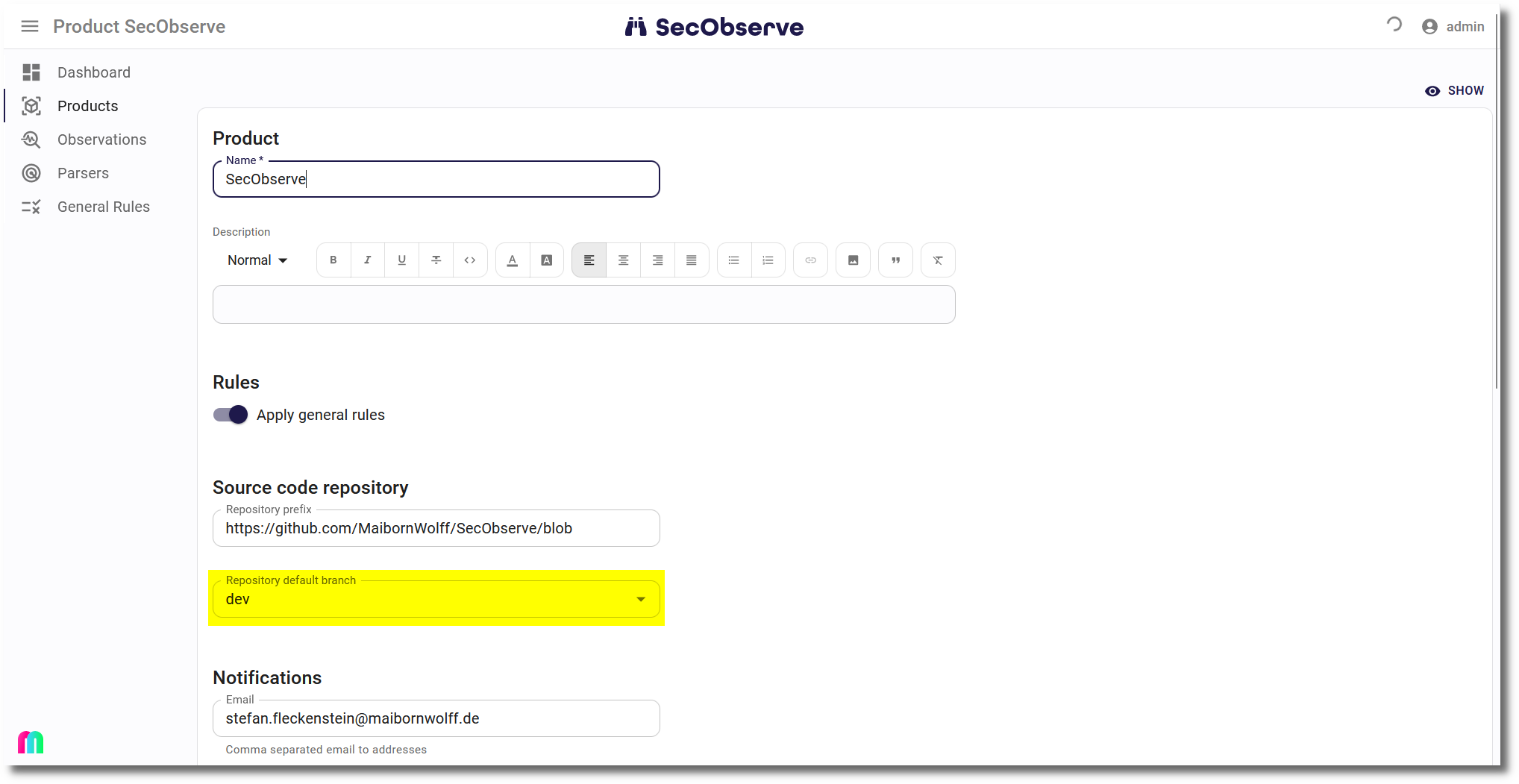
The default branch / version can be set manually while editing a product. If it is not set manually, it will be set automatically with the first branch / version that is created, either after importing observations with a branch / version name or by manually creating a branch / version.
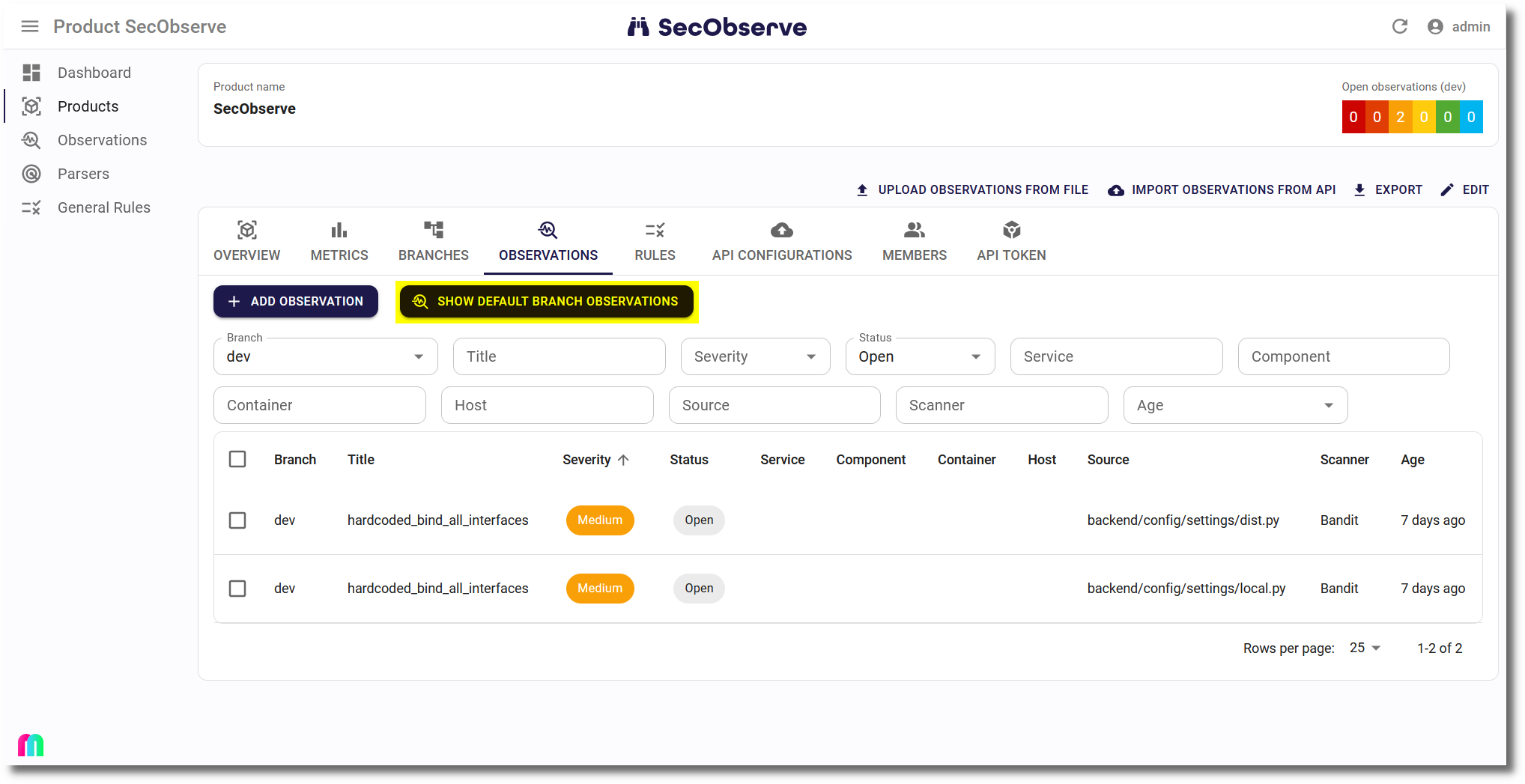
The Observations tab shows a button to show all open observations for the default branch / version.
Housekeeping
The Housekeeping background task deletes data that isn't needed anymore. Inactive branches / versions will be deleted automatically after a certain time. Inactivity is defined as the number of days since the last import of observations for a branch / version. Additionally orphaned components are deleted.
Parameters
The parameters are set globally in the Settings and can be partially overridden per product.
| Parameter global | Description |
|---|---|
| BRANCH_HOUSEKEEPING_CRONTAB_MINUTE | Minutes crontab expression for housekeeping |
| BRANCH_HOUSEKEEPING_CRONTAB_HOUR | Hours crontab expression for housekeeping (UTC, unless BACKGROUND_TASKS_TIME_ZONE is set) |
| BRANCH_HOUSEKEEPING_ACTIVE | If this parameter is set, inactive branches / versions will be deleted automatically. |
| BRANCH_HOUSEKEEPING_KEEP_INACTIVE_DAYS | Days before inactive branches / versions and their observations are deleted |
| BRANCH_HOUSEKEEPING_EXEMPT_BRANCHES | Regular expression which branches / versions to exempt from deletion |
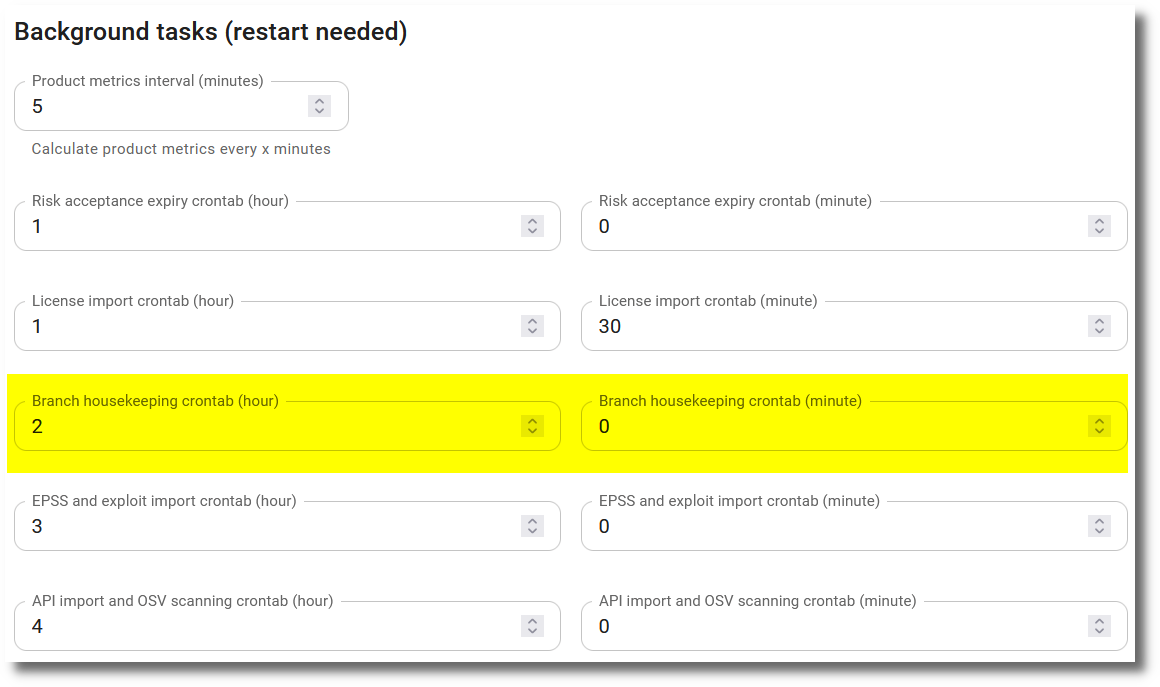
Per default the Housekeeping task, which deletes inactive branches / versions including their observations, is scheduled to run every night at 02:00 UTC time. This default can be changed by administrators via the Background tasks section in the Settings. Hours are in UTC, unless BACKGROUND_TASKS_TIME_ZONE is set.
Product specific settings
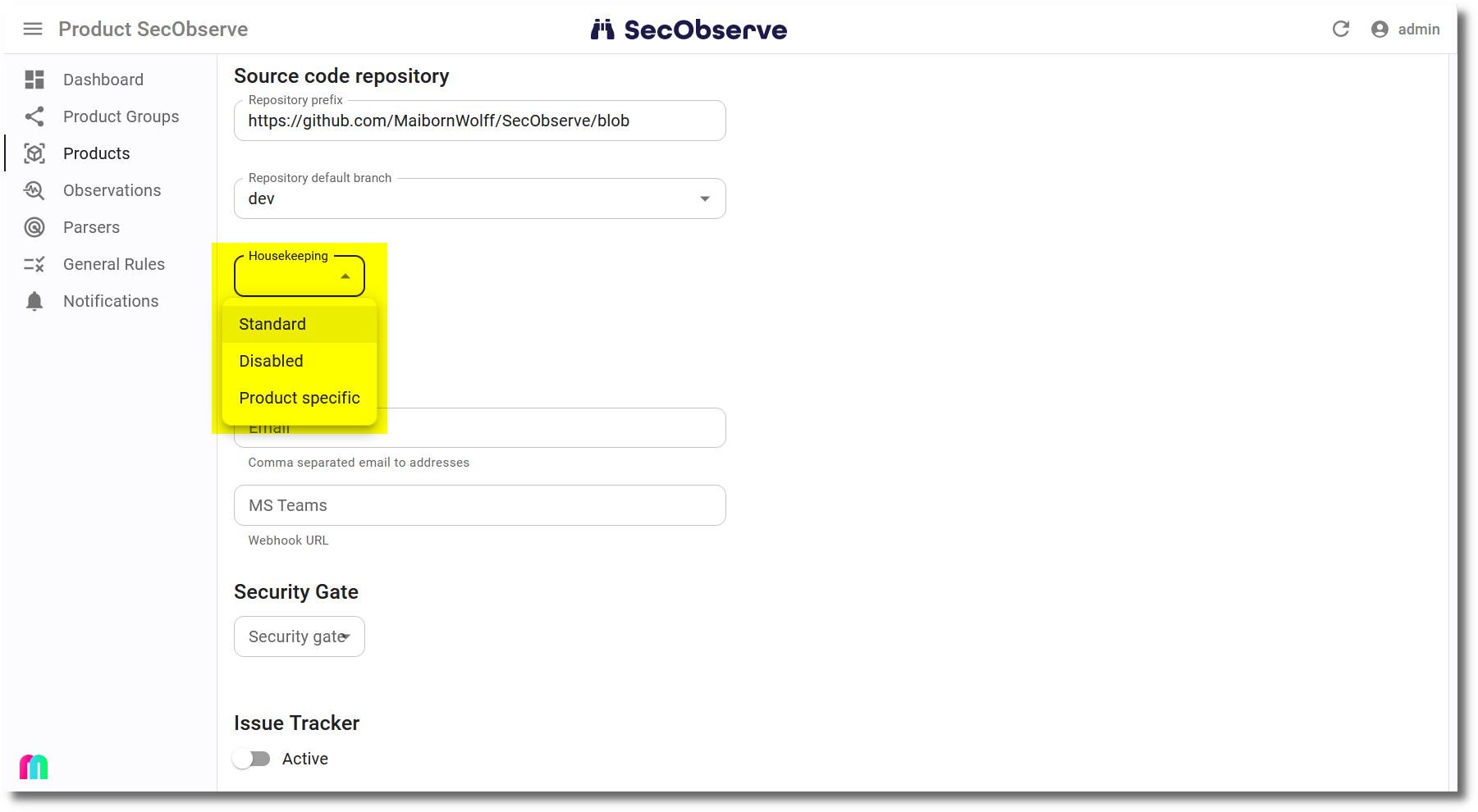
A product can override the housekeeping behaviour by setting the Housekeeping attribute:
- Standard: Use the instance-wide definition, this is the default.
- Disabled: Do not delete inactive branches for that product.
- Product specific: Use product specific settings for deletion of inactive branches.
Protect branches
A branch can be protected to prevent it from being deleted by the housekeeping task. This can be done by setting the Protect from housekeeping attribute of a branch.
Orphaned components
A component is deleted, when it isn't referenced by any observation and any license component anymore. This can happen for example after inactive branches / versions and their observations have been deleted.
Contrary to the deletion of branches / versions, the deletion of orphaned components cannot be configured. It is neither influenced by the parameters above nor by the product specific settings.